My younger cousin called me in a mild panic last semester. She had an assignment due, her usual study method was not clicking, and the textbook just sat there like a brick. She ended up using an AI tool that her college had rolled out through Pearson, got unstuck in twenty minutes, and passed the module. She had no idea who built it or why it worked. That story is exactly why the Pearson and Microsoft AI education partnership matters and why most students are using it without realizing they are.
This article breaks down what this collaboration actually does, how it shows up in real classroom tools, and what you should watch out for as a student navigating AI-assisted learning in 2026.
What the Pearson and Microsoft Partnership Actually Is
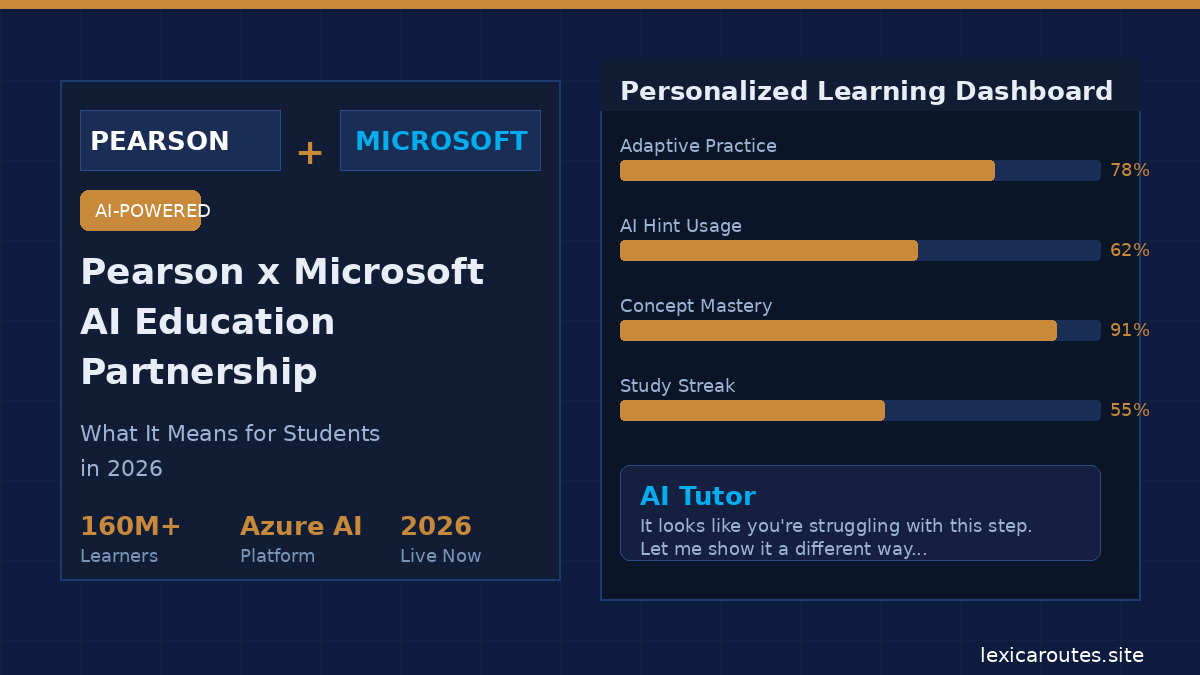
Pearson, one of the world’s largest education publishers, officially deepened its collaboration with Microsoft to embed AI capabilities directly into its learning platforms. This is not just a co-branding exercise. The partnership integrates Microsoft’s Azure OpenAI infrastructure into Pearson’s products, which means tools like Pearson’s MyLab and Mastering platforms now have AI tutoring layers running underneath them.
The idea is that instead of a student staring at a wrong answer and reading the same explanation three times, the AI can detect where the confusion is and rephrase the concept, offer a different example, or ask a guiding question. According to Pearson’s official 2026 announcements, this adaptive layer is already live in several STEM and nursing program modules.
What makes this partnership meaningful is scale. Pearson serves over 160 million learners globally. Plugging Microsoft’s AI backbone into that reach is genuinely significant.
Watch: Pearson’s AI-Powered Learning Demo
How It Shows Up in Real Student Life
If you are a college student using any Pearson platform right now, you may have already seen the AI features without connecting them to Microsoft at all. They show up in a few specific ways:
Personalized practice paths. Instead of giving every student the same fifty practice questions, the system watches which concepts you miss and routes more of those to you. My cousin’s experience with getting unstuck? That was this system recognizing she kept getting the calculation step wrong, not the concept.
Conversational hints. Some Pearson modules now have a chat-style hint function. You can ask why your answer is wrong, and instead of a static explanation, the AI rephrases it based on what you have already tried. This is a step above the old “see solution” button.
Writing support through Microsoft tools. For students using Microsoft 365 on their campus, the partnership means tighter integration between Word, Teams, and Pearson content. Microsoft’s Education page outlines several of these classroom integrations that instructors can activate.
The practical effect is that studying becomes slightly less lonely, especially for students who do not have easy access to tutors or study groups.
The Honest Limitations You Should Know
Here is where I want to be straight with you, because a lot of the coverage around this partnership leans cheerleader.
It is not a replacement for actual understanding. The AI can help you get unstuck on a problem, but if you use it as a shortcut to skip the thinking step, you will hit a wall in your exams. I have spoken to students who leaned too hard on AI hints and then struggled during timed tests when the scaffold was gone. Use it to understand, not to complete.
Access is uneven. Not every institution has activated all these features. Some schools run older Pearson contracts that do not include the AI layers yet. If your version of MyLab looks different from what classmates at other schools describe, that is likely why.
Data and privacy questions remain real. Your interactions with these AI systems feed back into the platform. The Electronic Frontier Foundation has noted ongoing concerns about edtech data practices and student privacy. It is worth knowing what your institution’s data agreement with Pearson covers before you use these tools extensively.
How to Actually Benefit From This as a Student
Getting value from AI-powered learning tools takes a small mindset shift. Here is what works:
- Use the hints as prompts, not answers. When the AI suggests a different approach, try to work through it yourself before reading further.
- Track your weak areas. The platforms often give you a dashboard showing which topics you revisit most. Take that seriously. It is showing you where to focus.
- Do not skip the basics. AI tutoring works best when you have a baseline. If you have not read the chapter at all, the hints will not land properly.
- Check what your instructor has activated. Some AI features are instructor-controlled. Ask your professor if there are tools in your course you might not know about.
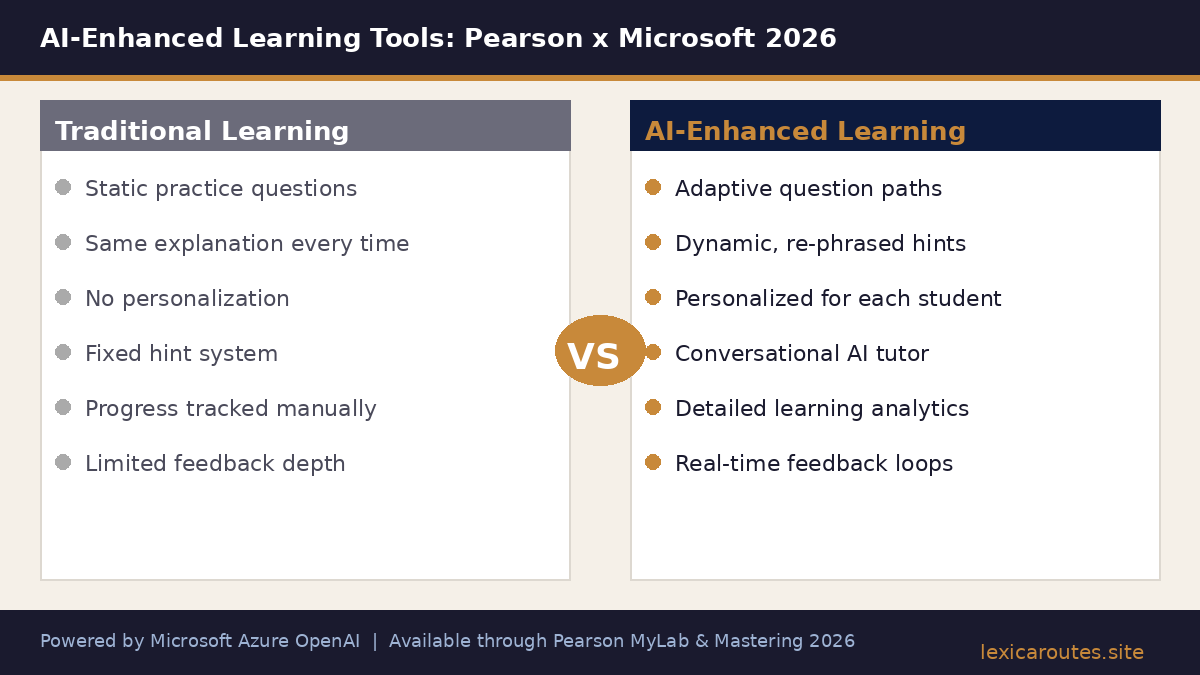
Comparison Overview: AI-Enhanced vs Traditional Pearson Learning
| Feature | Traditional Pearson Platform | AI-Enhanced (Pearson x Microsoft) |
|---|---|---|
| Practice questions | Static, same for all students | Adaptive, based on your mistakes |
| Feedback on wrong answers | Fixed explanation text | Dynamic, rephrased for your context |
| Hint system | Occasional static hints | Conversational AI hints |
| Integration with Microsoft tools | Limited | Deep (Word, Teams, Azure AI) |
| Data personalization | Basic progress tracking | Detailed learning analytics |
| Availability | All Pearson users | Depends on institution contract |
Our take
The Pearson and Microsoft AI education partnership is one of the more substantive edtech developments happening in 2026, precisely because it is embedded in platforms students already use rather than asking them to adopt something new. For students who engage with it thoughtfully, it genuinely reduces the friction of learning alone.
The caveats are real, though. Know your privacy settings, use AI as a scaffold not a crutch, and check what your institution has actually activated.
Frequently asked questions
What is the Pearson and Microsoft AI education partnership?
Pearson has integrated Microsoft’s Azure OpenAI technology into its learning platforms, including MyLab and Mastering. This allows AI-powered tutoring, adaptive practice questions, and personalized feedback to be embedded directly into the courses students already use. The partnership is designed to scale intelligent learning support across Pearson’s global user base.
How does the Pearson AI tutor actually work for students?
The AI tutor monitors which questions a student gets wrong and which concepts they revisit repeatedly. It then adjusts the type of hints, examples, and follow-up questions offered. Rather than showing the same explanation each time, it tries to rephrase or approach the concept differently based on how the student has responded so far.
Is the Pearson Microsoft AI tool available at all universities in 2026?
Not universally. Access depends on the contract your institution holds with Pearson. Some schools have the latest AI-enhanced modules fully activated, while others are still on older platform agreements. Check with your campus library or instructor if you are unsure what version of the tools your course is using.
Are there privacy concerns with AI tools in Pearson’s platform?
Yes, and it is worth paying attention to. Your learning interactions, question attempts, and session data are processed by the AI system. Student data privacy in edtech is an ongoing concern raised by organizations that monitor digital rights. Review your institution’s data agreement and Pearson’s student privacy policy if this is a concern for you.
Does using AI tutoring tools hurt academic integrity?
Using AI tutoring tools for understanding and practice, as they are designed, does not violate academic integrity. Problems arise when students use AI to complete graded assessments dishonestly or bypass the thinking required by an assignment. The tools are built to support learning, not replace it. Check your institution’s academic integrity policy for specific guidance on AI use in assessments.
Related posts
Author: Written by the Lexica Routes editorial team, covering travel, education, and study abroad since 2025.